Parallel Agent Development: The Future of AI-Powered Software Engineering

For years, AI coding assistants worked the way a single intern would: one task at a time, one conversation at a time, one file at a time. You asked a question, waited for an answer, then asked the next one. Sequential. Linear. Slow. In 2026, that model is dead.
The new paradigm is parallel agent development – multiple AI agents working simultaneously on different parts of your codebase, different tasks, different branches, all coordinated from a single interface. Instead of one agent spending 20 minutes building a feature, you spin up three agents that each spend 5 minutes on separate subtasks and merge the results.
This is not a marginal improvement. It is a fundamental shift in how we think about AI-assisted development.
Why Single-Agent AI Is a Bottleneck
The limitations of a single AI agent session are obvious once you have used these tools at scale:
Sequential execution: Every operation waits for the previous one to complete. The agent reads a file, then runs a command, then searches the codebase, then writes code – one at a time. Each step adds latency.
Context window competition: Your agent is trying to understand your architecture, remember your coding standards, track the current task, and plan the next step – all within a single context window. Something always gets squeezed out.
Single-threaded thinking: Even the most capable model can only focus on one thread of reasoning at a time. Complex tasks that require parallel investigation – debugging a race condition while reviewing an API contract while writing tests – force the agent to context-switch, losing depth at every turn.
The solution is the same one the software industry has used for decades: do things in parallel.
What Is Parallel Agent Development?
Parallel agent development means running multiple AI coding agents simultaneously, each operating in its own context, on its own task, often in its own isolated workspace. These agents can be:
- Subagents: Child processes spawned by a parent agent to handle specific subtasks (implementation, testing, documentation) concurrently.
- Parallel peers: Independent agents working on different features or components of the same project.
- Specialized agents: Agents with different roles – one writes code, another reviews it, a third runs tests and validates output.
The orchestration of these agents – how they are spawned, monitored, and merged – is where the real innovation is happening in 2026. Let me walk through the tools leading this shift.
SoloTerm: The Terminal Workspace for Concurrent Agents
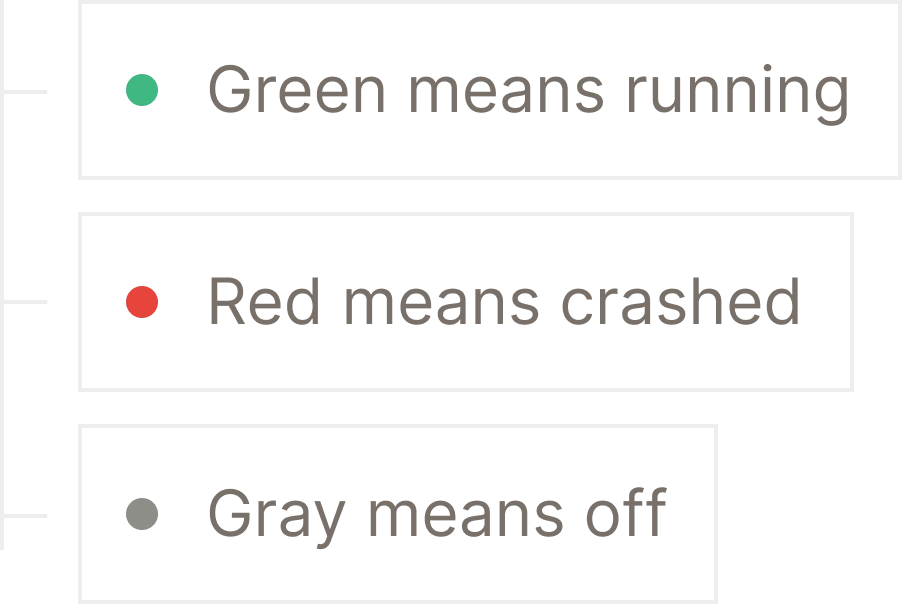 SoloTerm provides a unified terminal dashboard for managing multiple concurrent CLI agents and development processes.
SoloTerm takes a pragmatic approach: it does not build its own AI agent. Instead, it provides a terminal workspace that runs multiple CLI agents simultaneously – Claude Code, Codex, Gemini CLI, Amp, Aider, and custom scripts – all in a single window alongside your dev servers, databases, and background workers.
How SoloTerm Works
SoloTerm is configured through a solo.yml file that defines your agent stack and project commands. When you start Solo:
- All defined agents and development processes launch together via auto-start
- Each agent gets its own terminal pane with real-time status indicators
- If a service crashes, SoloTerm detects and restarts it automatically
- Process IDs are tracked to safely manage orphaned processes
The key insight is that SoloTerm exposes process logs, status, and project state to AI agents via the Model Context Protocol (MCP). This means your agents can independently monitor the environment, read logs, and restart crashed services without your intervention.
SoloTerm’s Parallel Agent Model
SoloTerm supports up to 20 concurrent processes on the free tier and unlimited processes on Pro. This is not agent orchestration in the traditional sense – SoloTerm explicitly positions itself as a workspace, not an orchestrator. It does not include built-in models or impose vendor lock-in. It simply gives you the terminal real estate and process management to run as many agents as you need, side by side.
The solo.yml file can be committed to your repository, ensuring every team member has an identical multi-agent environment. You can also maintain mixed workflows: shared processes (committed) and local/private processes (kept personal).
Conductor: Isolated Parallel Workspaces on Mac
 Conductor spins up isolated Claude Code and Codex workspaces for parallel, conflict-free development.
Conductor is a Mac application designed to orchestrate teams of coding AI agents. Its core feature is parallel agent execution in isolated workspaces.
How Conductor Works
Creating a parallel agent in Conductor is as simple as pressing Cmd + N. Each new workspace:
- Launches a completely isolated agent environment
- Operates in its own git worktree, preventing cross-agent conflicts
- Runs independently of other active agents
- Can be monitored at a glance from the main dashboard
Conductor supports parallel instances of Claude Code and Codex, with a built-in diff viewer for reviewing and merging changes from each agent. It also integrates checkpoints, scripts, todos, slash commands, and MCP support.
The Isolation Advantage
The isolated workspace model is Conductor’s defining feature. When you have three agents working on three different features, each operates in its own branch with its own file system state. There is no risk of Agent A overwriting Agent B’s changes, no merge conflicts during development, and no context pollution between tasks.
Once all agents complete their work, you review each agent’s output through the diff viewer and merge changes on your terms. This is parallel development with safety rails.
Cursor 3: Fleets of Agents Across Environments
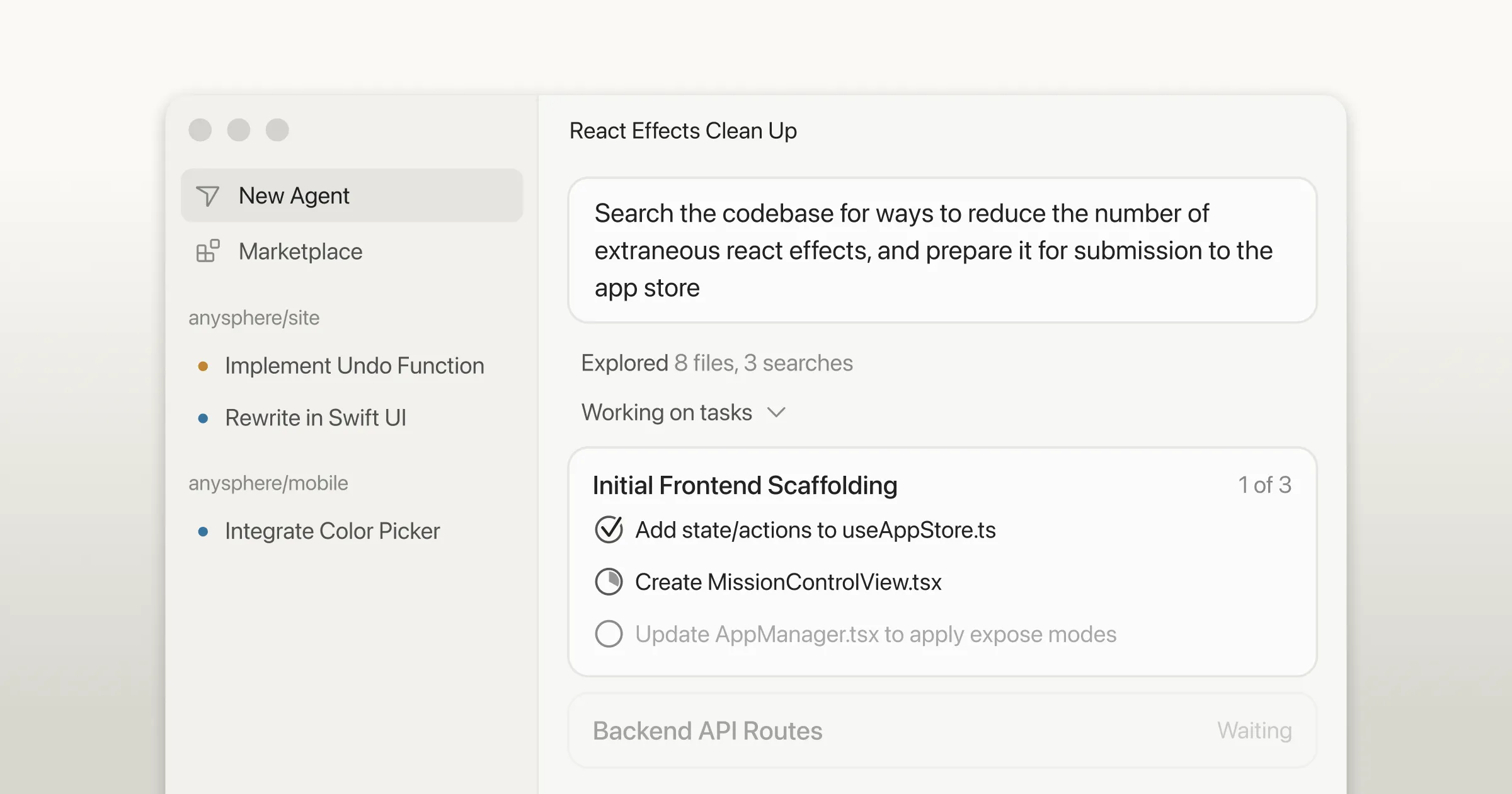 Cursor 3 introduces a unified agent-first workspace with support for fleets of concurrent agents.
Cursor 3 represents the most ambitious reimagining of the AI-assisted IDE. Built from scratch around an agent-centric paradigm, Cursor 3 natively supports running many agents simultaneously across local and cloud environments.
Multi-Workspace Architecture
Cursor 3’s interface is inherently multi-workspace. Key capabilities include:
- Unified sidebar: All local and cloud agents displayed in a single panel
- Multiple entry points: Agents can be triggered from desktop, web, mobile, Slack, GitHub, and Linear
- Environment handoff: Long-running or background tasks can be offloaded to the cloud, preventing interruption when you go offline or close your laptop
- Cloud-to-local sync: Cloud sessions can be pulled locally for rapid iteration using the Composer 2 model
Agent Fleets and Subagents
Cursor 3 is designed to manage fleets of agents working autonomously. This moves developers away from micromanaging individual agent conversations toward overseeing a portfolio of concurrent agent work.
The Cursor Marketplace extends agent capabilities with subagents, MCPs, and custom skills. Teams can create private marketplaces to manage internal agent extensions. When a complex task comes in, Cursor can automatically spawn multiple specialized subagents that work in parallel and merge their results.
Cloud Agent Verification
Cloud agents in Cursor 3 automatically generate demos and screenshots for human verification. You do not need to watch your agents work in real time – they produce artifacts you can review asynchronously, approve, or request changes on.
Kilo Code: Agent Manager with Git Worktrees
 Kilo Code’s Agent Manager enables parallel agent tabs with git worktree isolation for conflict-free development.
Kilo Code’s new VS Code extension introduces an Agent Manager – a centralized control panel for managing multi-agent workflows directly within your IDE.
Parallel Tool Execution
Kilo Code replaces sequential bottlenecks with parallel tool execution. The agent can simultaneously read files, run terminal commands, and search the codebase. This eliminates the wait time that plagues single-agent sequential workflows.
Subagent Delegation
For complex tasks, Kilo Code automatically spins up multiple parallel subagents – for example, one handles implementation, another writes tests, and a third generates documentation. These subagents work concurrently and merge results back to the parent agent.
Users can also define custom subagents to match specific team workflows. Want a dedicated security-review subagent that runs after every implementation? You can configure that.
Git Worktree Isolation
The Agent Manager can create separate git worktrees for each agent. This means:
- Agent A builds an API on one worktree
- Agent B refactors authentication on another
- Agent C writes tests on a third
All three operate simultaneously on isolated copies of the repository. When complete, changes can be merged, committed, or converted to pull requests.
Read-Heavy Parallel Workflows
Kilo Code also supports running multiple agents on the same worktree for collaborative review patterns. One agent writes code while a second agent concurrently reviews diffs or investigates implementation details elsewhere in the codebase. This is particularly valuable for code review workflows where you want real-time validation alongside development.
Multi-Model Comparison
The Agent Manager enables running multiple agents on the exact same prompt using different AI models simultaneously. Results are displayed side-by-side for direct comparison. This is invaluable for complex refactors or architecture decisions where you want to evaluate how different models approach the same problem.
Google Antigravity: Agent Manager and Missions
Google’s Antigravity IDE introduces a dual-view architecture that separates hands-on coding from multi-agent orchestration:
- Editor View: Synchronous, hands-on coding with full VS Code extension compatibility
- Manager View: Asynchronous, multi-agent orchestration with parallel mission control
The Agent Manager
The Agent Manager (Cmd + E) is Antigravity’s full-screen mission control interface. From here, you can:
- Spawn multiple AI agents simultaneously to work on independent tasks or code branches
- Monitor all active agents and their progress in real time
- Leave comments on agent plans or screenshots – agents integrate feedback asynchronously without pausing execution
- Manage project-specific knowledge bases
Missions and Parallel Execution
In Antigravity, each mission is a high-level, goal-oriented workflow launched with a natural language prompt. The system generates an implementation plan and task list, requires developer approval, then executes.
Multiple missions run in parallel. One agent might refactor backend logic while another scaffolds tests or writes documentation. Powered by Gemini, agents autonomously plan, code, test, and perform external actions (web browsing, source control management) concurrently.
The Artifacts System
Antigravity replaces raw logs with transparent artifacts:
- Implementation Plans
- Architecture Diagrams
- UI Screenshots and Recordings
- Post-Task Walkthroughs
Developers can interact directly with browser screenshots – circling elements to request changes – and let agents autonomously verify functionality in a sandboxed browser.
Parallel Agent Orchestration Patterns
Across all these tools, several orchestration patterns have emerged as best practices:
1. Parallel Execution Pattern
Independent agents run concurrently for maximum throughput. This is the simplest and most common pattern – assign each agent a discrete task and let them work simultaneously. Best for tasks where subtasks have no dependencies on each other.
Example: Three agents building frontend, backend, and documentation simultaneously.
2. Sequential Pipeline Pattern
Used when tasks have strict step-by-step dependencies. Agent A completes its work, passes output to Agent B, which passes to Agent C. This is not truly parallel but benefits from agent specialization.
Example: Agent A generates code, Agent B writes tests for that code, Agent C runs the test suite and reports results.
3. Human-in-the-Loop Pattern
Integrates human oversight for nuanced, high-stakes, or ambiguous decisions. Agents work in parallel but pause for human approval at defined checkpoints.
Example: Multiple agents implement features in parallel, each requiring human review before merging to main.
4. Meta-Agent Orchestration
An LLM acts as a “conductor” to dynamically allocate tasks, resolve conflicts, and optimize workflows in real time. The meta-agent monitors all sub-agents and redistributes work based on progress and bottlenecks.
Example: A parent agent receives a complex prompt, decomposes it into subtasks, spawns specialized subagents, monitors their progress, and merges results.
5. Self-Healing Workflows
Built-in retry mechanisms and fallback agents automatically detect failures, reroute tasks, or substitute cached data to prevent pipeline stalls. SoloTerm’s auto-restart feature is a simple example of this pattern.
Example: If an agent’s API call fails, a fallback agent retries with a different model or uses cached results to keep the pipeline moving.
Performance Impact: The Numbers
The performance benefits of parallel agent development are significant:
- Latency reduction: Up to 60% faster task completion by eliminating sequential bottlenecks
- Cost reduction: Approximately 40% lower operational costs through efficient resource utilization
- Throughput increase: 3-5x more tasks completed in the same time window with parallel agents
These numbers come from enterprise multi-agent system deployments and are consistent with what individual developers report when using tools like Conductor, SoloTerm, and Kilo Code’s Agent Manager.
Best Practices for Parallel Agent Development
Based on the tools and patterns covered above, here are the key best practices:
1. Define Clear Agent Roles
Each agent should have a specific, well-defined responsibility. “Build the API endpoint” is better than “work on the backend.” Clear roles prevent overlap, conflicts, and wasted effort.
2. Use Isolated Workspaces
Whether through git worktrees (Kilo Code, Conductor), separate terminal panes (SoloTerm), or cloud environments (Cursor 3), isolation prevents agents from stepping on each other’s changes.
3. Test Agents in Isolation First
Before integrating agents into a parallel workflow, prototype and test each one individually. This simplifies debugging and helps identify bottlenecks before they compound.
4. Implement Robust Error Handling
Configure retry policies and fallback agents. When one agent fails, the pipeline should not stall. SoloTerm’s auto-restart and Antigravity’s asynchronous feedback loops are good models.
5. Monitor and Observe
Deploy observability into your agent workflows. Track which agents are running, what they are working on, and whether they are making progress. All the tools covered provide dashboards or status indicators for this purpose.
6. Merge Deliberately
When parallel agents complete their work, review and merge changes carefully. Use built-in diff viewers (Conductor, Kilo Code) and inline code review features to validate each agent’s output before integration.
The Future: Where Parallel Agents Are Heading
The trajectory is clear. By the end of 2026, multi-agent systems are expected to be integrated into 40% of enterprise applications. The tools covered here represent the first generation of polished, developer-ready parallel agent platforms.
The next generation will bring:
- Dynamic agent scaling: Automatically spin up or down agents based on task complexity
- Cross-repository agents: Single agents working across multiple repositories simultaneously
- Agent-to-agent communication: Direct protocol-based communication between agents without human mediation
- Self-optimizing workflows: Systems that learn which parallel patterns work best for your codebase and automatically adjust orchestration strategies
Getting Started Today
You do not need to wait for the future. Here is how to start with parallel agent development right now:
| Tool | Best For | Platform | Cost |
|---|---|---|---|
| SoloTerm | Running multiple CLI agents in one terminal | Cross-platform | Free / Pro |
| Conductor | Isolated parallel workspaces for Claude Code/Codex | Mac | Free |
| Cursor 3 | Full IDE with cloud/local agent fleets | Desktop, Web, Mobile | Free / Paid |
| Kilo Code | Agent Manager with git worktrees in VS Code | VS Code | Free |
| Google Antigravity | Dual-view IDE with mission-based orchestration | Web/Cloud | Free |
My recommendation: start with the tool that matches your current workflow. If you live in the terminal, try SoloTerm. If you use VS Code, install Kilo Code. If you want a dedicated Mac app for parallel Claude Code instances, download Conductor. If you want the full agent-first IDE experience, try Cursor 3 or Google Antigravity.
Conclusion
Parallel agent development is not a feature – it is a new way of building software. Instead of being the person typing code, you become the architect directing a team of AI developers. Your job shifts from writing to orchestr, from executing to reviewing, from sequential to concurrent.
The tools are here now. SoloTerm, Conductor, Cursor 3, Kilo Code, and Google Antigravity each offer a different path into parallel agent workflows. They share a common vision: multiple agents, working simultaneously, on your code, right now.
The question is no longer whether to adopt parallel agents. It is which tool you will use to start.

