OpenCode CLI in Practice: Scriptable Agent Workflows That Hold Up
OpenCode’s command-line interface turns the coding agent into a scriptable tool: the same agent environment runs in the interactive TUI and non-interactively from shell scripts, CI jobs, and Makefiles. Small tasks work within minutes, but serious use depends on repository instructions, permission boundaries, context discipline, and model selection.
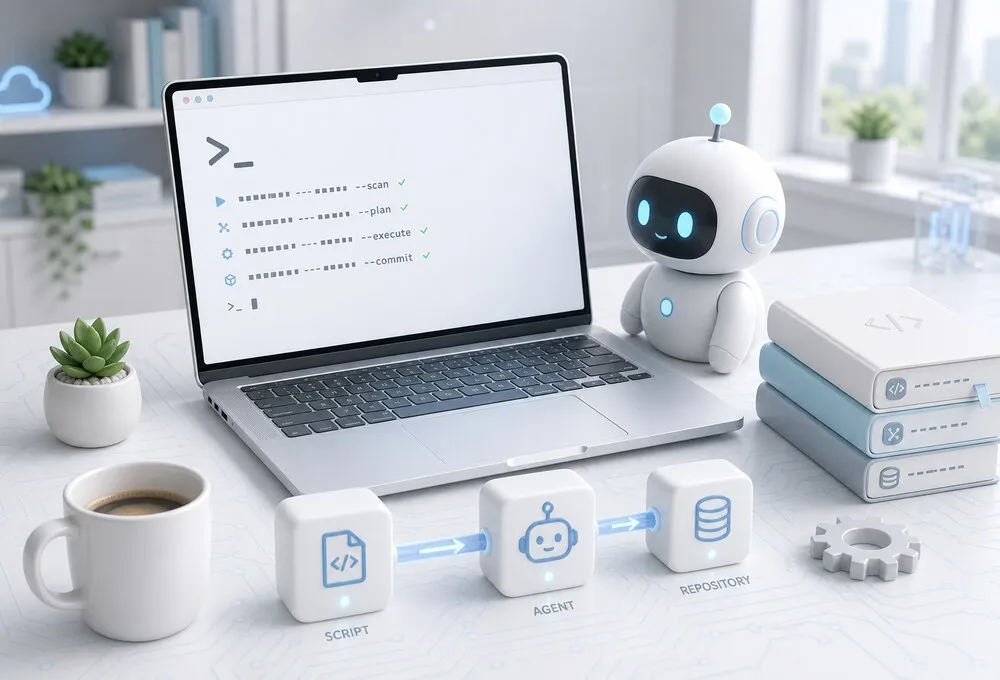 The OpenCode CLI drives the full agent environment non-interactively: models, tools, permissions, and subagents
OpenCode’s CLI rewards a different discipline than its TUI: scripted runs, checked-in repository instructions, and permissions configured before automation. This field manual (checked against OpenCode 1.18.9 and current docs — recheck version-sensitive config before copying) covers setup order, the highest-value use cases, permissions before automation, and the pitfalls that waste the most time.
An Agent Environment, Not a Chat Box
OpenCode wires together a primary agent, the selected model, file tools, shell execution, web tools, LSP code intelligence, MCP tools, skills, commands, and subagents — with a permission layer between the model’s intent and what it may actually do. Simplified:
  Developer --> OpenCode CLI / TUI --> Primary Agent
                                              |
        +-----------+-----------+------+------+------+----------+
        |           |           |             |      |          |
     Selected    File tools   Shell     Web tools  LSP     MCP tools
       LLM          |           |                      |
        |      Repository <-----+                      |
        |                                              |
  Permission rules --> Agent      AGENTS.md --> Agent  |
                                                      |
                                          Skills, commands, subagents
An excellent model with bad permissions is dangerous; a weak model with perfect permissions is merely slow. Productive use requires getting both sides reasonably right. The official OpenCode docs are the reference for the fast-moving configuration surface — always check them before copying an older example into a long-lived setup.
Initialize the Repository Before Asking for Code
The first command worth running in a new repository is:
/init
OpenCode analyzes the project and creates an AGENTS.md file. Commit that file. Repository-specific constraints become durable context for every conversation — interactive or scripted — instead of being repeated by hand:
# Repository Instructions

## Architecture

- API handlers live under src/api.
- Business logic belongs under src/services.
- Database access belongs under src/repositories.
- Do not call database clients directly from HTTP handlers.

## Validation

After TypeScript changes run:

```bash
npm run typecheck
npm test
```

After frontend changes also run:

```bash
npm run lint
```

## Constraints

- Do not modify generated files.
- Do not change public API contracts without asking first.
- Do not create database migrations unless explicitly requested.
- Never run deployment commands.
Agents fail surprisingly often because they do not know which constraints matter. A short repository contract removes that ambiguity before the first tool call, and it matters more than installing another MCP server.
Work Non-Interactively with opencode run
The non-interactive mode widens the useful workflows considerably:
opencode run "Explain the error handling strategy in this package"
A diff review as a one-shot command:
opencode run \
  "Review the current git diff for correctness and missing tests. Do not edit files."
Piping context straight into a run:
git diff --name-only HEAD~1 |
  opencode run "Inspect the changed files and identify risky behavior changes."
In a Makefile, the same call becomes a target:
.PHONY: review
review:
	opencode run "Review the current git diff for correctness and missing tests. Do not edit files."
Because a scripted run has no human at the prompt, the configured permission policy is the only guardrail between the model and the environment. That is why permissions matter more for automation than for interactive use. The direction worth pursuing is not replacing deterministic scripts with an LLM, but inserting model reasoning where shell logic gets awkward while keeping deterministic validation around it.
The Highest-Value CLI Use Cases
The workflows that pay off share three properties: the result is testable, the context is discoverable, and wrong changes are cheap to inspect or revert. Each prompt below works in the TUI or as an opencode run argument.
Repository exploration
Answering questions that would otherwise take a chain of grep, file jumps, and git log:
Explain how authentication works in this repository.

Trace a request from the HTTP middleware through token validation,
user loading, authorization, and the final handler.

Do not modify anything.
Safe to introduce into an existing codebase: the agent provides value without writing code.
Small, well-bounded fixes
A narrowly scoped bug with constraints around it:
The CLI exits with status 0 when config validation fails.

Find the code path responsible, add a regression test, implement
the smallest fix, and run the relevant tests.

Do not refactor unrelated code.
Success must be demonstrable with a test, a compiler, or an observable command. Vague requirements invite plausible rather than correct code.
Test generation after implementation
The existing implementation gives the agent something concrete to reason about:
Review src/parser.ts and its existing tests.

Identify important edge cases that are currently uncovered.
Add tests only. Do not modify the implementation.

Run the parser test suite when finished.
Keep test generation separate from implementation: one unconstrained pass writing both can produce tests that validate the agent’s own interpretation instead of the intended behavior.
Mechanical refactoring
Repetitive transformations with a clear end state — deprecated API replacement, shared-helper extraction, config field renames, import updates — with the compiler and tests as the feedback loop:
Replace uses of LegacyResult<T> with Result<T, AppError> in
packages/api only.

Preserve runtime behavior.

Work in small batches. After each batch run the package typecheck.
At the end run the package test suite and show me the final git diff
summary.
Small batches beat one enormous migration step.
Code review by a separate role
Review works best as a separate agent role, not another prompt in the editing context:
Review the current git diff.

Focus on:
- correctness;
- security;
- concurrency;
- missing tests;
- error handling;
- accidental API changes.

Do not summarize files that are unchanged.
Rank findings by severity.
A read-only reviewer stays skeptical where the implementing agent defends its own approach.
Investigate Before Implementing
Keep planning and implementation mentally separate. Planning answers which files matter, which patterns apply, what could break, how to verify, and whether the change is actually local. For substantial tasks, investigate first:
opencode run "Investigate the request. Do not edit files yet. Return: the relevant files; the current behavior; the proposed change; risks; the exact verification commands."
Then inspect the plan before allowing edits. The expensive agentic failures come from wrong assumptions made before the first edit, not from slow typing. For multi-file, multi-session work this per-task habit grows into spec-driven development, where a written spec is agreed before any editing starts.
Subagents Are Useful, Delegation Is Not Free
Subagents keep exploratory work out of the primary conversation’s reasoning path:
@general find where retry behavior is implemented
But delegation has three quiet costs: token consumption (a tree of agents re-reading the repository gets expensive), policy complexity (permissions must hold for the child, not just the parent), and hidden reasoning (“the subagent found X” may need the child session to audit). Two or three purposeful agents beat an elaborate fictional software company in the terminal.
Use Custom Agents as Permission Boundaries
Agents with separate prompts, models, and permissions are security boundaries, not personalities. A project-local review agent that cannot edit files:
---
description: Reviews code without modifying the repository
mode: subagent
permission:
  edit: deny
  bash:
    "*": ask
    "git diff *": allow
    "git status *": allow
    "git log *": allow
  webfetch: deny
---

Review code for correctness, security, maintainability,
unexpected behavior changes, and missing tests.

Do not modify files.
“Please do not edit anything” in prose influences the model; edit: deny constrains the tool. Those are not equivalent controls.
Configure Permissions on Day One
OpenCode defaults are permissive — convenient for demos, risky on a workstation holding SSH keys, production credentials, publishing tokens, and cloud contexts. For unattended opencode run jobs nothing stops a run except configured policy. A conservative starting point:
{
  "$schema": "https://opencode.ai/config.json",
  "permission": {
    "*": "ask",
    "read": "allow",
    "grep": "allow",
    "glob": "allow",
    "edit": "ask",
    "bash": {
      "*": "ask",
      "git status *": "allow",
      "git diff *": "allow",
      "git log *": "allow",
      "git push *": "deny",
      "rm *": "deny"
    }
  }
}
Match the rules to the environment; what matters is making policy intentional instead of discovering defaults after a surprise. And do not confuse approval prompts with sandboxing: an allowed shell command runs with full environment access. For sensitive repos or unattended runs, add real isolation:
  Host workstation --> Restricted container / VM --> OpenCode
                                                       |
                          +----------------------------+----------------+
                          |                            |                |
                    Repository copy            Build and test     Limited model
                                                     tools        credentials

  No production credentials and restricted network for the container.
Git is rollback, permissions are policy, a container or VM is isolation — three different layers. Test assumptions in a disposable repo (git init /tmp/opencode-perm-test) and try to make the agent run a denied command there.
Turn Repetitive Prompts into Commands
Repeated instructions should become configuration. A project command in .opencode/commands/review.md:
---
description: Review the current changes
agent: plan
---

Review the current git diff.

Look for:
- bugs;
- security issues;
- incomplete error handling;
- missing tests;
- accidental API changes.

Do not modify files.
Used as /review. Reliable workflows emerge when good prompts become shared project infrastructure instead of clipboard snippets. Other candidates: /test-changes, /prepare-pr, /check-migration, /update-docs, /release-check.
Use Skills for Reusable Workflows
SKILL.md files carry procedures too large for one prompt — migration runbooks, release workflows, incident investigation, API compatibility reviews — while staying unloaded until relevant. The advantage is context discipline: dumping every organizational rule into AGENTS.md builds a giant system prompt the model learns to ignore, while skills enter context only when needed.
Keep MCP Disciplined
MCP servers expose trackers, docs, browsers, and observability to the agent:
{
  "$schema": "https://opencode.ai/config.json",
  "mcp": {
    "context7": {
      "type": "remote",
      "url": "https://mcp.context7.com/mcp"
    }
  }
}
Every tool consumes attention and often context tokens. Fifteen globally enabled servers look powerful in a screenshot while making behavior slower, costlier, and less predictable. Rule of thumb: if a tool is not useful in a normal week, do not enable it globally. Load tools because a workflow requires them, not because the integration exists.
Route Models by Task Complexity
Provider independence — OpenCode builds much of its catalog via Models.dev and supports commercial plus local OpenAI-compatible endpoints — makes model routing practical. But no harness compensates fully for a model weak at tool use, planning, or instruction retention. Use cheaper or local models for search, docs, simple tests, repetitive edits, and formatting; strong models for architecture, ambiguous bugs, cross-package refactors, concurrency, security-sensitive code, and hard migrations. When results degrade, suspect the model before redesigning the harness.
A Conservative Daily Workflow
The same steps work in the TUI or via opencode run:
- Start from clean Git state (
git status) so human and agent changes never mix silently. - Ask for investigation first, with no edits allowed; correcting a wrong investigation is cheap.
- Narrow the implementation: fix only, regression test first, smallest relevant suite after.
- Inspect the diff yourself (
git diff --stat,git diff) — check for files the agent should not have touched. - Run deterministic verification with project commands (
npm run typecheck,npm test,npm run lint); a terminal showing green beats “tests pass” in prose. - Run an independent read-only review, phrased to falsify: “try to find reasons this implementation is wrong.”
- Commit with interactive staging (
git add -p) for one final human pass over every hunk.
Common Pitfalls
- Model quality dominates. Same harness, different model, completely different experience. If the agent ignores instructions, rewrites too much, or loops, switch models before reconfiguring.
- Long sessions rot. Early wrong assumptions poison later decisions. Prefer fresh sessions at task boundaries; scripted runs start clean every time, so durable state belongs in
AGENTS.md, not conversations. - Permissions compound. Parent rules, subagents, custom tools, and MCP servers form one effective capability surface — reason about the whole workflow, and verify version-specific behavior since OpenCode ships fast (never mix
/docs/and/v2/docs/examples blindly). - The TUI hides scale. “Updated the relevant tests” can mean 3 lines or 600. Keep
git status --shortandgit diff --statnext to the agent. - MCP bloat. Dozens of tool schemas slow decisions and burn context. Disable most of it and compare.
- Local-only needs proof. A local model does not make the whole toolchain local. If data must not leave, verify with network inspection on the exact deployed version.
Summary
Start with one strong model, one AGENTS.md, conservative permissions, a read-only review agent, two or three custom commands, and no MCP servers until a real need appears. Promote repetitive workflows into commands, skills, or agents; restrict risky capabilities with permissions; split bloated workflows instead of buying context. Optimize OpenCode for short feedback loops — bounded problem, enough context, minimal permissions, deterministic verification — and it becomes infrastructure rather than a chat interface.
How far have you pushed opencode run into scripts and CI? Share the workflow that held up in the comments below!