AI for DevOps
AI is transforming DevOps practices through agentic AI systems that go beyond simple chatbots. These coding agents combine large language models with tools, memory, and planning capabilities to autonomously handle complex Platform Engineering and SRE tasks. By integrating with MCPs (Model Context Protocol), skills, and spec-driven development workflows, agents can create observability systems, build infrastructure APIs, and manage systems with minimal human intervention.
Understanding Agentic AI in DevOps
Agentic AI operates through a continuous loop of reasoning, action, and observation. Unlike traditional AI assistants that provide single-shot responses, coding agents maintain context, use tools to interact with systems, and iterate based on results. This approach proves particularly valuable in DevOps where tasks often require exploring clusters, analyzing logs, and making incremental improvements.
Key components that empower these agents include:
- Tokens and Context Window: The model’s working memory (200K tokens standard, up to 1M in beta) determines how much context the agent can retain. Efficient context management prevents degradation during long sessions.
- Model Context Protocol (MCP): An open standard enabling agents to connect to external data sources and tools. MCPs like
victoriametricsfor PromQL queries,grafanafor dashboard management, andcontext7for up-to-date documentation provide real-time access to platform data. - Skills: Encapsulated know-how stored as skill files (e.g.,
.claude/skills/*/SKILL.mdor.kilo/skills/*/SKILL.md) that define project-specific conventions, patterns, and procedures. Skills allow agents to consistently apply team standards for tasks like creating pull requests or validating configurations. - Tasks: A persistent system for tracking complex workflows across sessions, replacing simpler todo lists with dependency tracking and shared visibility between agent instances.
- AGENTS.md: Project-specific instructions that guide agent behavior, replacing CLAUDE.md as the standard for defining agent conventions and workflows.
Choosing the right model
New models and versions appear every day. The SWE-bench Verified benchmark has become the reference for evaluating model capabilities in software development. It measures the ability to solve real bugs from GitHub repositories and helps guide our choices.
Coding agent
There are many coding agent options out there. Here are a few examples:
| Tool | Type | Strengths |
|---|---|---|
| Claude Code | Terminal | 200K context (1M in beta), high SWE-bench score, hooks & MCP |
| opencode | Terminal | Open source, multi-provider, local models (Ollama) |
| Cursor | IDE | Visual workflow, Composer mode |
| Antigravity | IDE | Parallel agents, Manager view |
| Other notable alternatives (non-exhaustive): Gemini CLI, Mistral Vibe, GitHub Copilot… |
Hybrid IDE + OpenCode workflow
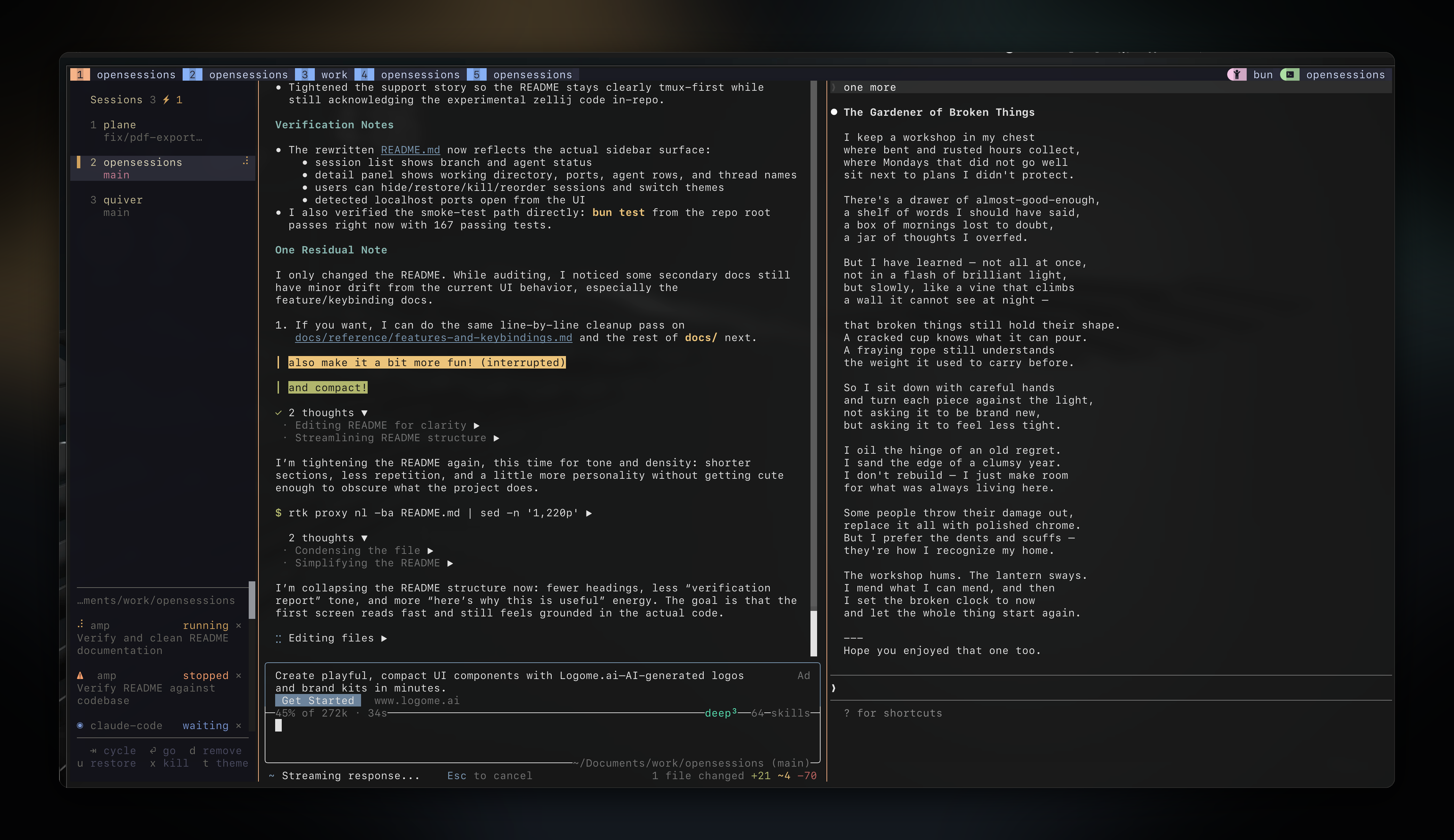
In practice, I alternate between two modes: sometimes pure IDE Cursor and sometimes hybrid with Kilo Code for editing and Kilo CLI in the terminal. The hybrid workflow is clearly more comfortable, and I’m moving towards it more and more.
| Need | Tool | Why |
|---|---|---|
| Quick editing, autocomplete | Cursor | Minimal latency, you stay in the flow |
| Refactoring, multi-file debugging | OpenCode/Kilo CLI | Deep reasoning, autonomous loops |
What I like about hybrid mode: OpenCode makes changes via the terminal, and I review the diffs in the Cursor interface — much more readable than git diff. Changes appear in real time in the editor, which lets you follow what OpenCode is doing and step in quickly if needed.
- Agent Frameworks: opencode and kilo code (VSCode plugin) provide alternative agent implementations
- IDE Hybridization: Combining terminal-based agents with IDEs provides both deep reasoning and real-time code review
Platform Engineering Use Cases
Autonomous Observability with MCPs
Coding agents excel at creating comprehensive observability systems by leveraging multiple MCPs simultaneously. For example, an agent can:
- Use context7 and DeepWiki to fetch up to date docs for libs
- ProxmoxMCP-Plus provide MCP interfaces for managing virtual infrastructure
- Kubernetes/OpeShift
- flux - Flux Blog
- trivy-mcp enables agents to perform vulnerability scans as part of their workflow
- Prometheus MCP
- victoriametrics PromQL queries, metric exploration
- victorialogs LogsQL queries, log analysis
- grafana Dashboards, alerts, annotations
- PfSense MCP
- steampipeSQL queries on cloud infra
- chrome MCP
This approach eliminates manual metric hunting and dashboard configuration, reducing what once took hours to minutes. The agent iterates based on visual feedback until the observability setup meets requirements.
Spec-Driven Development for Infrastructure APIs
Agentic AI works exceptionally well with Spec-Driven Development (SDD) when creating platform APIs like Crossplane compositions. The SDD workflow ensures agents build what users actually need while maintaining architectural integrity:
- Specification Creation: Agents generate spec files and linked GitHub issues using skills like
/spec, pre-filling templates with project conventions - Clarification Process: Structured resolution of open questions through skills like
/clarify, presenting options analyzed from PM, Platform Engineer, Security, and SRE perspectives - Validation: Pre-implementation checks via
/validateensure specifications are complete before coding begins - Implementation: Agents explore existing patterns, then generate resources following project standards (like
xplane-*prefixes and zero-trust networking policies) - Final Validation: Post-implementation verification confirms specifications, implementation quality, and review checklist completion
This method produces well-documented infrastructure APIs where every decision is traceable. For example, a Queue composition might support both Strimzi (Kafka) and AWS SQS backends while automatically handling authentication, monitoring, and security policies.
Effective Agent Workflows
Context Management Strategies
The context window remains the critical resource for agent effectiveness. Key practices include:
- Regular Clearing: Starting each distinct task with
/clearprevents context pollution from previous attempts - Concise AGENTS.md: Keeping project-specific instructions under 500 lines moves detailed procedures to skills that load on demand
- Tool Search Enablement: Using
export ENABLE_TOOL_SEARCH=auto:10loads MCP tool definitions only when needed, saving significant context - CLI Preference: For mature tools like
kubectlandgit, using direct CLI commands avoids loading unnecessary MCP definitions - Context Auditing: Regular
/contextchecks identify space consumers for optimization
Multi-Session Techniques
Advanced workflows maximize agent productivity through parallelization:
- Git Worktrees: Running independent agent sessions on different features using
git worktree addprevents context interference - Writer/Reviewer Pattern: Parallel sessions where one agent implements code while another reviews for security and edge cases
- Headless Parallelization: The
-pflag enables running multiple non-interactive agent instances for independent tasks like test generation or documentation - Agent Teams: Experimental feature allowing multiple agents to share task lists and communicate, ideal for read/analyze/summarize workflows
Tool Integration Best Practices
Effective agent use combines specialized tools with standard DevOps practices:
- Memory Systems: Tools like engram provide persistent cross-session memory for recalling past decisions and discoveries
- Knowledge Graphs: GitNexus creates searchable code knowledge graphs for impact analysis and architectural understanding
- Skill Libraries: Collections like andrej-karpathy-skills offer reusable agent capabilities for common DevOps patterns
Avoiding Common Pitfalls
Successful agent adoption requires awareness of anti-patterns that undermine effectiveness:
- Kitchen Sink Sessions: Mixing debugging, feature work, and refactoring in one session degrades performance. Solution:
/clearbetween distinct task types. - Correction Spirals: Agents getting stuck in fix-revert loops indicate missing context, not persistence. Solution: Stop, clear context, and rephrase with specific details.
- Bloated AGENTS.md: Overly long instruction files consume context from the start. Solution: Target ~500 lines and move specialized content to skills.
- Trust-Then-Verify Gap: Accepting agent-generated code without review leads to production issues. Solution: Always examine diffs before committing.
- Infinite Exploration: Agents browsing entire codebases instead of acting. Solution: Provide specific file paths in prompts to focus attention.
Getting Started with Agentic DevOps
Begin by establishing foundations for effective agent use:
- Configure Core Instructions: Create
AGENTS.mdwith essential build/test commands, project conventions, and common pitfalls - Enable Essential MCPs: Set up protocol connections to your monitoring, logging, and infrastructure tools
- Develop Team Skills: Capture recurring procedures as shareable skills (e.g., PR creation, configuration validation)
- Adopt Context Hygiene: Implement
/clearroutines and monitor context usage with/statusline - Start Small: Begin with well-defined tasks like generating standard configurations or creating simple observability panels
- Iterate on Workflows: Regularly review agent interactions to refine prompts, skills, and tool combinations
Agentic AI represents a paradigm shift in DevOps tooling, moving from reactive scripting to proactive, goal-driven automation. By treating agents as junior engineers that require clear specifications and feedback loops, teams can achieve significant productivity gains while maintaining control over their infrastructure. The key lies in combining agent capabilities with disciplined practices around specification, validation, and continuous learning—ensuring that automation serves rather than substitutes for engineering judgment.